

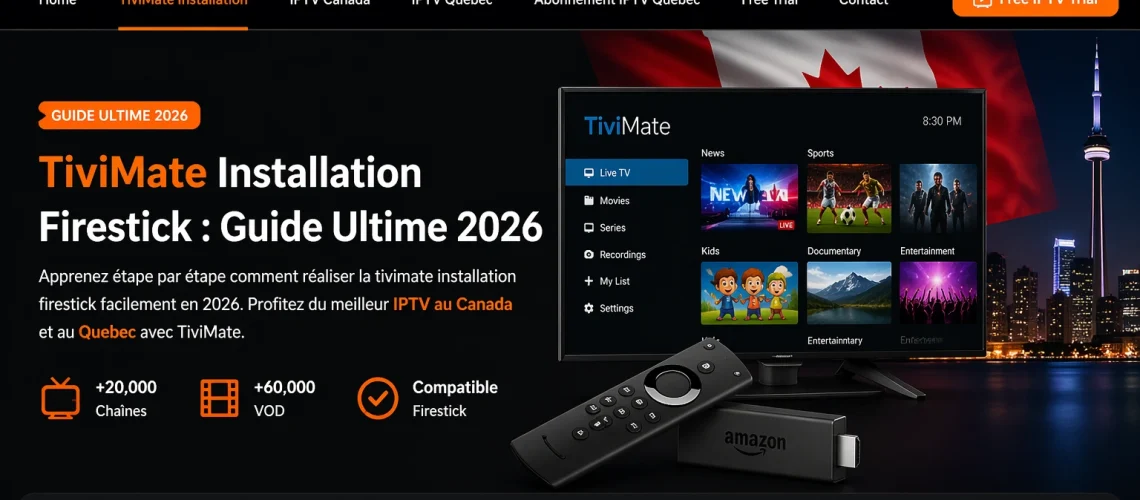
TiviMate Installation Firestick: The Complete IPTV Canada Guide 2026
TiviMate installation Firestick is hands down the most searched IPTV setup question in Canada right now — and once you’ve done it, you’ll understand why. TiviMate transforms your Amazon Firestick into a fully-featured TV experience with 80,000+ channels in HD and 4K, including all the French-language content that IPTV Quebec subscribers love.
Whether you’re a complete beginner or just switching providers, this step-by-step guide covers everything: installation, configuration, common issues, and where to find the best abonnement iptv quebec to power it all.
What is TiviMate — And Why Does Firestick Make It Perfect?
TiviMate is a premium Internet Protocol Television (IPTV) player built specifically for Android devices. Unlike generic media players, TiviMate was designed purely for IPTV — meaning it handles live TV channels, electronic programme guides (EPG), VOD libraries, and multi-stream setups better than anything else on the market.
The Amazon Firestick is the most popular streaming device in Canada. It plugs directly into your TV’s HDMI port and runs Android — making it the ideal companion for TiviMate. Together, they create a setup that feels indistinguishable from a premium cable subscription, at a fraction of the cost.
What Makes TiviMate Stand Out
- French-language interface — fully adapted for IPTV Quebec users
- Smooth HD and 4K playback — on every Firestick model, including the Lite
- Full EPG support — see what’s on now and what’s coming next, like real TV
- M3U and Xtream Codes compatible — works with every major IPTV provider
- Custom favorites and groups — organize your channels the way you want
- Free to start — basic version is free; Premium unlocks recording for ~$5/year
TiviMate is an Android-only app. It is not available on the Amazon Appstore by default — which is why this installation guide exists. Don’t worry: the process takes under 5 minutes.
Why TiviMate is the #1 Choice for IPTV Canada & Quebec
IPTV Canada has exploded in 2026. More Canadians are cutting cable every month, and TiviMate on Firestick has become the go-to setup for cord-cutters from Vancouver to Montreal.
Here’s why it’s become the standard for Quebec IPTV subscribers in particular:
The Cost Comparison is Brutal for Cable
Bell and Vidéotron charge $80–$150/month. A solid abonnement iptv quebec costs $10–$30/month, includes 80,000+ channels, and runs flawlessly on TiviMate. The math isn’t even close.
French-Language Coverage is Complete
Every channel Quebec subscribers demand — TVA, Radio-Canada, RDS, TVA Sports, Noovo, LCN, ICI RDI, V — is included in the major iptv canada subscriptions. No add-ons, no bundles, no extra fees.
The Firestick Makes It Plug-and-Play
One HDMI port. One Firestick. Five minutes of setup. That’s all it takes to turn any television in your home into a full IPTV streaming hub with TiviMate running the show.
| Feature | TiviMate + IPTV Canada | Cable (Bell / Vidéotron) |
|---|---|---|
| Monthly Cost | $10–$30 | $80–$150 |
| Channels | 80,000+ | 100–500 |
| 4K Quality | ✔ | ✗ |
| Multi-Device | ✔ | ✗ |
| No Contract | ✔ | ✗ |
| French Channels | ✔ | ✔ |
| Setup Time | ~5 minutes | Technician visit |
Tivimate Installation Firestick — Complete Step-by-Step Guide
This is the exact tivimate installation firestick process used by thousands of iptv canada subscribers in 2026. Follow every step in order — it takes less than 5 minutes.
Step 1 — Enable Unknown Sources
TiviMate is not on the Amazon Appstore, so you need to allow third-party app installs first.
- 1Go to Settings (gear icon at the top right of your Firestick home screen)
- 2Select My Fire TV
- 3Tap Developer Options
- 4Toggle on Apps from Unknown Sources → confirm with Turn On
- 5Go back to the Firestick home screen
Step 2 — Install the Downloader App
- 1Use the search bar at the top of your home screen
- 2Search for Downloader
- 3Select the Downloader app (orange icon) and hit Download
- 4Wait for it to install, then Open Downloader
Step 3 — Download & Install TiviMate
- 1In Downloader, tap the URL field at the top of the screen
- 2Type:
https://tivimate.com/appand tap Go - 3The APK will download automatically — wait for it to finish
- 4Tap Install when prompted
- 5Once installed, tap Open to launch TiviMate
Now connect your IPTV subscription to start watching your channels.
Step 4 — Add Your IPTV Playlist
This is where you connect your abonnement iptv quebec to TiviMate. Two methods work:
Option A — M3U URL
- 1Open TiviMate → tap Add Playlist
- 2Select M3U URL
- 3Enter the M3U URL from your IPTV provider
- 4Tap Next — channels load automatically
- 5Name your playlist (e.g. IPTV Quebec 2026) → Finish
Option B — Xtream Codes
- 1Open TiviMate → Add Playlist → Xtream Codes API
- 2Enter your server URL, username and password
- 3Tap Next → Finish
Contact your IPTV provider — they’ll tell you whether to use M3U or Xtream Codes credentials for your tivimate installation firestick setup.
Common Issues & Fixes — Tivimate Installation Firestick
Even with a smooth tivimate installation firestick, a few hiccups can pop up. Here are the most common ones — and exactly how to fix them.
You see a blank channel list or an error message after adding your playlist.
Double-check your M3U URL or Xtream credentials. Confirm with your IPTV provider that your subscription is active. Restart TiviMate and try again.
The stream keeps stopping, stuttering, or dropping quality mid-watch.
Check your Internet speed (min. 10 Mbps for HD, 25 Mbps for 4K). Enable Hardware Decoding in TiviMate settings. Switch to a wired Ethernet connection. Try ExoPlayer as your video player.
The APK download fails or the install is blocked by the system.
Make sure you enabled Unknown Sources in Step 1. Free up at least 100MB of storage on your Firestick. Restart the device and try the Downloader installation again.
The programme guide doesn’t show any schedule, or times are off.
Go to Settings → Programme Guide and re-enter your XMLTV URL. Force an EPG update. Make sure your time zone is set to EST/EDT for Canadian channels. Wait 30 minutes after updating.
The video plays but there is no audio output.
Switch the audio track inside the player (press the audio button during playback). Disable audio passthrough in Firestick settings. Try switching to the VLC external player.
Best Abonnement IPTV Quebec to Use with TiviMate Firestick
TiviMate is only as good as the IPTV service powering it. For iptv canada subscribers — especially in Quebec — choosing the right provider makes all the difference.
Here’s what your abonnement iptv quebec should deliver when used with TiviMate on Firestick:
The best service for your tivimate installation firestick combo is one built specifically for the Canadian market — with French EPG, Canadian time zones, and support that actually responds. IPTV Canada and IPTV Quebec providers optimized for Firestick are your best bet.
Try IPTV Quebec FREE on Your Firestick
The fastest way to test your tivimate installation firestick setup is with a real IPTV subscription. Get instant access to 80,000+ channels in HD and 4K — French and English — with no payment required to start.
🚀 Start My Free IPTV Quebec Trial✔ No credit card needed · ✔ Instant activation · ✔ All Firestick models supported
The Bottom Line: TiviMate + Firestick = Best IPTV Canada Setup in 2026
TiviMate installation Firestick is genuinely one of the best 5-minute investments a Canadian TV viewer can make in 2026. You get more channels, better quality, and total freedom — for a fraction of what Bell or Vidéotron charges.
For IPTV Quebec subscribers, the combination of TiviMate’s French interface and a solid abonnement iptv quebec delivers everything you need: TVA, RDS, Radio-Canada, and thousands of international channels — all in HD or 4K.
Pair it with a trusted IPTV Canada provider, run through this installation guide once, and you’ll never look at a cable bill the same way again.